Email Punctuation Overthinking as a Relatable Desk Skit
A desk skit hooks viewers with “Email punctuation be like,” then pairs tiny punctuation changes with exaggerated vocal tones to dramatize a familiar workplace dilemma.
Picture
0–2.1sThe creator types beneath the persistent email-punctuation overlay.Establish an instantly recognizable situation before explaining the joke
2.1–7.1sAn email close-up shows “I'll see you tomorrow!”; secondary evidence describes an exaggerated eager vocal interpretation.Turn a small punctuation choice into an outsized emotional signal
On screen
“Email punctuation be like”
Sound
No spoken line. The prior analysis reports keyboard clicks followed around 2.1 seconds by a high-pitched sung or exaggerated vocal rendition; the supplied images cannot verify the sound.
Script beats
- 0–2.1sThe creator types beneath the persistent email-punctuation overlay.Establish an instantly recognizable situation before explaining the joke
- 2.1–7.1sAn email close-up shows “I'll see you tomorrow!”; secondary evidence describes an exaggerated eager vocal interpretation.Turn a small punctuation choice into an outsized emotional signal
- 7.1–10.5sThe creator reacts with a strained expression and resumes typing; the prior analysis describes replacing the exclamation mark.Show discomfort with the first option and motivate another attempt
- 10.5–15.3sScreen close-ups show “I'll see you tomorrow.” while the transcript supplies an aggressive dramatic interpretation.Escalate the joke by making the supposedly neutral alternative sound hostile
- 15.3–18.5sThe creator returns on screen, visibly perplexed and gesturing over the keyboard.Close on the recognizable frustration of overthinking a simple email
Steal this pattern
[Everyday task] be like → [tiny choice A + exaggerated interpretation] → [reaction] → [choice B + opposite interpretation] → [frustrated reaction or product solution]
Keep
- Name a recognizable micro-dilemma in the opening overlay
- Start with the creator already performing the relevant action
- Keep the wording nearly identical so the tiny change drives the joke
- Make screen text readable and pair each version with a distinct emotional interpretation
Swap
- Everyday decision
- Use “Client follow-ups be like” for a writing assistant or “Naming project tasks be like” for a productivity app.
- Visible alternatives
- Show two versions of the same message, such as “Checking in!” and “Checking in.”, followed by an actual tone-adjustment feature.
- Brand resolution
- After two awkward attempts, demonstrate a writing tool suggesting a clear, friendly sentence and show the creator's relieved reaction.
- Vocal interpretation
- Record original eager and overly stern readings of the same sentence, synchronized with each on-screen version.
Brand & product
No product or brand is featured in this video.
- Niche
- Career and workplace
- Audience
- People who overthink how punctuation makes their work emails sound
- Emotional angles
- Relatability, Humor, Surprise
- Sound
- Unknown
Why it works
- Self-recognition. The overlay names a familiar email-writing dilemma while the typing makes the situation legible immediately.
- Disproportionate contrast. A tiny visible change from an exclamation mark to a period carries an exaggerated emotional difference in the reported audio.
- Repeated failed solution. Trying a more neutral alternative creates a second joke and gives viewers a reason to watch beyond the initial example.
Keywords & tags
Added . Track your own creators’ posts the same way with the UGC Engineer Tracker.
 Entertainment and comedy42.1M viewsHotel Key Card Mistake Sets Up a Dramatic Facepalm
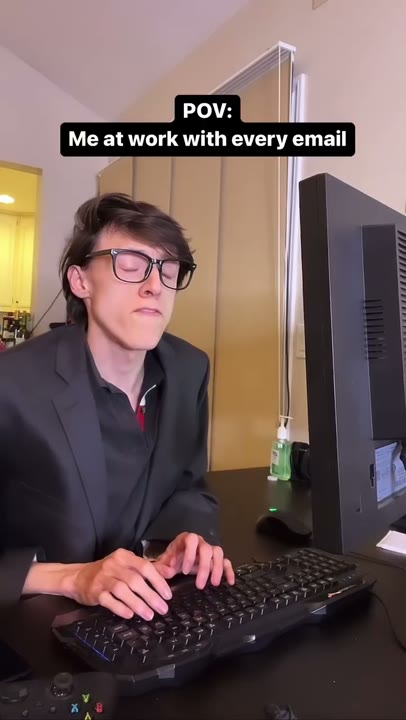 Entertainment and comedy14.8M viewsEmail Frustration POV With an Unfiltered Office Reaction
 Entertainment and comedy105M viewsA Deadpan Selfie That Recognizes Viewers Watching on Mute
 Kitchen and cooking56.2M viewsA Relatable Recipe POV Sets Up a Campfire Cooking Fail
 Reese's41.1M viewsDay-by-Day Sugar Challenge With Fast Mood Changes
 Skincare38.9M viewsGaming Sleepover POV Turns Into a Group Skincare Session
 Parenting and baby20.7M viewsA Tired Bedtime Selfie Interrupted by an Early-Morning Kiwi Offer
 Insta36015.6M viewsA Relatable Filming Problem Leads to a Wearable Camera Reveal
 Afrikana45.6M viewsCovert Restaurant Filming Sets Up a Phone-Screen Reveal
 Relationships and dating28.9M viewsA Pretend Flower Delivery Drops Viewers Into a Social Favor